
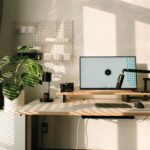

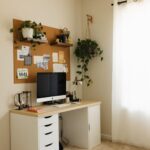





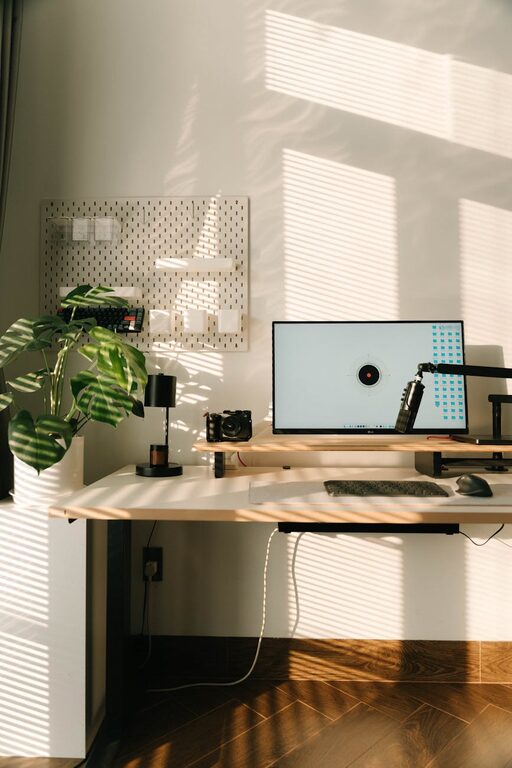
Creating a productive home workspace can make a significant difference in your workday. Whether you work remotely full-time, handle occasional home projects, or run a small business, having a designated, efficient area is key to staying focused and comfortable. This guide will walk you through practical tips to set up a workspace that supports your productivity and wellbeing.
Why a Dedicated Home Workspace Matters
Working from a couch or kitchen table can seem convenient, but these spots often come with distractions and discomfort. A dedicated home workspace helps:
– Improve concentration by minimizing interruptions
– Establish clear boundaries between work and personal life
– Promote better posture and reduce physical strain
– Organize work materials for easy access
Now let’s explore how to create this productive setup.
Choose the Right Location
Consider Natural Light and Noise
The ideal workspace is somewhere quiet and well-lit. Natural light boosts mood and alertness, so try to position your desk near a window if possible. If outside noise is a problem, think about quieter rooms or using noise-canceling headphones.
Ensure Privacy and Minimal Distractions
Choose an area where you won’t be interrupted frequently by family members or roommates. If that’s not possible, consider room dividers or screens to create a sense of separation.
Invest in Ergonomic Furniture
Select a Comfortable Desk and Chair
Your furniture should support a healthy posture. Look for an adjustable chair with good lumbar support and a desk at the right height for typing without strain. Ergonomics reduces discomfort and potential injuries from long hours sitting.
Consider Standing Desks or Desk Converters
Switching between sitting and standing can boost energy and reduce fatigue. Standing desks or converters make this easy without buying new furniture.
Organize Your Essentials
Keep Frequently Used Items Within Reach
Avoid clutter and improve efficiency by storing pens, notebooks, chargers, and other daily tools nearby. Desk organizers, trays, or drawer dividers help keep everything tidy.
Use Cable Management Solutions
Cords and cables can quickly become tangled and messy. Use clips, sleeves, or boxes to keep cables organized and out of the way.
Optimize Lighting
Add Task Lighting
In addition to natural light, use adjustable task lamps to reduce eye strain and create focused illumination exactly where it’s needed.
Choose Warm or Neutral Light Bulbs
Lighting with a warm or neutral color temperature is gentle on the eyes and helps maintain a relaxed yet alert atmosphere.
Minimize Digital Distractions
Use Website Blockers and Focus Apps
If online distractions are a challenge, tools that block distracting sites during work hours can help maintain attention.
Turn Off Non-Essential Notifications
Disable notifications on your phone or computer that are not related to work to prevent unnecessary interruptions.
Personalize Without Overdoing It
Add Inspiring Decorations
Include a few personal items like plants, art, or photos to make your space inviting and motivating.
Maintain a Balance
Avoid over-cluttering with decorations that can distract. Keep your desk clean to stay focused.
Establish Routine and Boundaries
Set Specific Work Hours
Having set hours helps your brain switch into “work mode” and prevents burnout.
Communicate Boundaries with Household Members
Let others know your schedule and workspace boundaries, so they can respect your focus times.
Maintain Your Workspace
Daily Tidying
Spend a few minutes at the end of each day clearing your desk to start fresh the next morning.
Regular Deep Cleaning
Periodically clean your chair, desk, and electronic devices to keep the area healthy and pleasant.
—
By following these tips, you’ll create a home workspace that supports your productivity and wellbeing. Remember that your ideal setup may evolve over time, so feel free to adjust your space as needed to fit your work style and needs. A comfortable, organized, and inspiring workspace can make working from home a more enjoyable and efficient experience.