









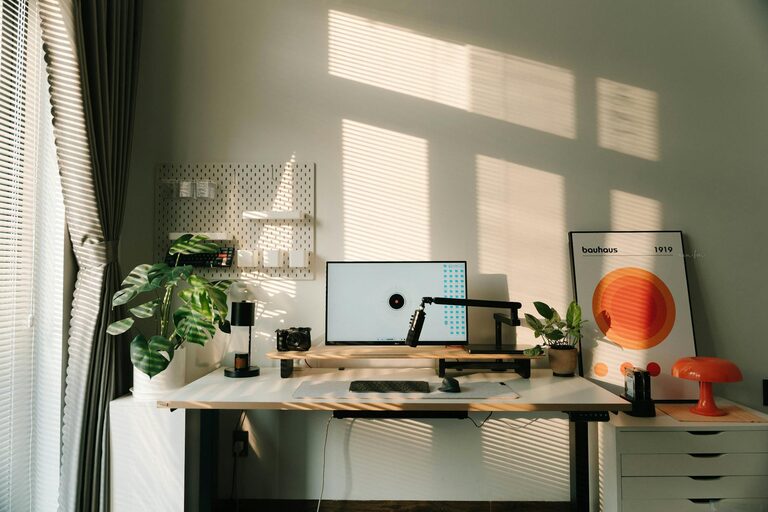
Creating a clutter-free home office space can make a big difference in your productivity and overall well-being. Whether you work from home full time or use your office occasionally, organizing your space efficiently helps you focus and reduces stress. Here are some practical tips to help you achieve a tidy and inspiring workspace.
Why a Clutter-Free Home Office Matters
A cluttered office can lead to distractions, lost time, and even decreased creativity. When everything has its place, it’s easier to find what you need and stay motivated during your workday. Plus, a neat space simply feels more inviting and professional.
Step 1: Clear Everything Out and Sort
Before you start organizing, take everything out of your home office. This might feel overwhelming, but it’s the best way to see what you really have.
– Sort items into categories: essentials, non-essentials, and things to discard or donate.
– Be honest about what you actually use.
– Organize paperwork into “keep,” “file,” and “shred” piles.
Removing everything gives you a clean slate to design an effective setup.
Step 2: Designate Areas for Different Tasks
If your office space allows, create specific zones based on your work needs.
– Computer and paperwork zone: where you do most of your desk work.
– Storage zone: shelves, filing cabinets, or drawers to hold supplies.
– Creative space: if you sketch, brainstorm, or use materials like markers and paper.
This helps keep things contained and prevents your desk from becoming a catch-all surface.
Step 3: Choose Smart Storage Solutions
Storage is essential to keep clutter under control.
– Use vertical storage: Shelves or wall-mounted organizers save desk space.
– Drawer organizers: These keep pens, paperclips, and cables tidy.
– Filing systems: Use color-coded folders or binders for quick access.
– Consider clear containers so you can see contents without opening.
Keeping supplies put away but easily reachable reduces clutter and saves time.
Step 4: Manage Paperwork Efficiently
Paper is often a major source of clutter. Here’s how to keep it in check:
– Go digital when possible: Scan documents and store them electronically.
– Weekly filing: Dedicate time each week to sort and file papers.
– Inbox/outbox trays: Keep incoming and outgoing documents organized.
– Use labels to clearly mark files and folders.
Limiting the buildup of paper helps your office stay neat for longer.
Step 5: Keep Cables and Electronics Tidy
Cables can easily turn into a tangled mess.
– Use cable clips or ties to group cables neatly.
– Label chargers and cords to avoid confusion.
– Use a power strip with surge protection in a fixed, accessible spot.
– Store seldom-used devices in a drawer when not in use.
A tidy desk surface free of tangled wires creates a cleaner look and reduces distraction.
Step 6: Personalize without Overcrowding
Adding personal touches creates a pleasant atmosphere.
– Display a few favorite photos or inspirational quotes.
– Add a small plant for a touch of greenery.
– Use desk accessories in calming or motivating colors.
Avoid overloading your desk with decorations, which can contribute to clutter. Choose a few meaningful items.
Step 7: Set a Daily Cleanup Routine
Maintaining a clutter-free space requires regular effort.
– Spend 5–10 minutes at the end of each workday tidying your desk.
– Put supplies back in their places.
– Clear any loose papers or trash.
– Wipe down surfaces if needed.
Making tidying a daily habit prevents clutter from piling up again.
Step 8: Use Ergonomic and Functional Furniture
An organized office should also be comfortable.
– Choose a desk with enough surface area to spread out supplies.
– Use an ergonomic chair that supports your posture.
– Consider adjustable monitors or keyboard trays to save space.
Comfort supports productivity and makes it easier to keep the space orderly.
Final Thoughts
Organizing your home office doesn’t have to be complicated or expensive. With some planning and regular upkeep, you can create a clutter-free workspace that helps you focus and enjoy your workday. Start small, be consistent, and soon you’ll have a neat office that works for you.