


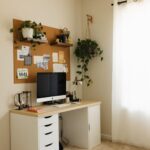






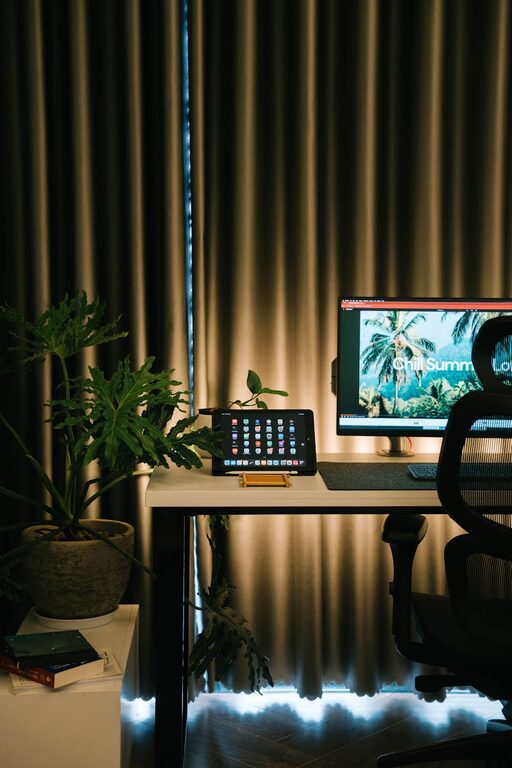
Creating a home office that feels both cozy and productive can make a big difference in your work-from-home experience. Whether you’re working full-time from home or just need a dedicated space for occasional tasks, a well-designed office can help you stay focused, motivated, and comfortable throughout the day. Here are some helpful tips to guide you through creating the perfect home office space.
1. Choose the Right Location
Finding the ideal spot for your home office is the first step toward creating a productive workspace.
– Natural light: Try to pick a location near a window. Natural light is known to boost mood and energy levels.
– Away from distractions: Choose a quiet corner or a room where traffic and noise are minimal.
– Space considerations: Make sure there’s enough room for your desk, chair, and any other essentials.
2. Invest in Comfortable, Ergonomic Furniture
Comfort is key when you spend long hours working.
– Ergonomic chair: An adjustable chair with good back support will help prevent posture-related discomfort.
– Desk height: Ensure your desk height suits you to reduce strain on your wrists and shoulders.
– Standing option: If possible, consider a sit-stand desk that lets you alternate between sitting and standing.
3. Optimize Your Lighting
Good lighting reduces eye strain and creates a pleasant atmosphere.
– Layer your lighting: Use a combination of natural light, overhead lights, and task lighting such as desk lamps.
– Avoid glare: Position your computer screen perpendicular to windows to avoid glare.
– Warm light bulbs: Soft, warm light bulbs promote a cozy feel without being too harsh.
4. Keep It Organized and Clutter-Free
An organized space helps you focus and feel less stressed.
– Storage solutions: Use shelves, filing cabinets, or baskets to keep supplies and documents tidy.
– Minimalist approach: Keep your desktop clear of unnecessary items.
– Regular decluttering: Make it a habit to clean and organize your space weekly.
5. Personalize Your Space
Adding personal touches can make your office feel inviting and inspire creativity.
– Plants: Indoor plants improve air quality and add a refreshing touch.
– Artwork and photos: Hang or place items that make you smile and motivate you.
– Textiles: Soft rugs, cushions, or curtains can add warmth and texture.
6. Use Technology Wisely
Make sure your workspace supports your work with the right tools.
– Reliable internet: A strong and stable internet connection is a must.
– Cable management: Use clips or sleeves to keep cables tidy and prevent tangles.
– Ergonomic accessories: Consider a good keyboard, mouse, or a monitor stand to improve comfort.
7. Incorporate Break Areas
Taking breaks is important to maintain productivity.
– Comfortable seating: If space allows, include a small lounge chair or beanbag for relaxing.
– Break reminders: Use apps or timers to remind yourself to stand up and move around.
8. Manage Noise
Reducing noise helps maintain concentration.
– Noise-canceling headphones: Great for blocking out distractions during focused work periods.
– Soft furnishings: Curtains, rugs, and cushions can help absorb sound.
– White noise machines: These devices can mask background noise and create a calming environment.
Final Thoughts
A cozy and productive home office is achievable with thoughtful planning and a few simple updates. By choosing the right location, investing in ergonomic furniture, optimizing lighting, and personalizing your space, you can create an environment that supports your work and well-being. Remember, your home office should not just be functional but also a place where you feel comfortable and inspired. Take your time to set up a space that fits your style and work habits, and you’ll likely see improvements in focus and satisfaction.